/rop_dopoise_denoiser ← dodo_usd_pipeline
Dopoise — AI Denoiser Renderman 25
Tool developed with Tom Perony to leverage RenderMan 25’s AI denoiser in production on the render farm..
FYI : Some parts of this article may no longer be fully relevant, as Pixar has since introduced improvements to the denoiser and its handling of render passes.
INTRODUCTION
Introduction
We are Adrien Lhabitant and Tom Perony, two students from ESMA Toulouse working on our graduation shorts, respectively “El Dodorado” with a Solaris USD pipeline and “Rush More” with a Maya pipeline.
You can check his website her : https://www.tom-perony.fr/
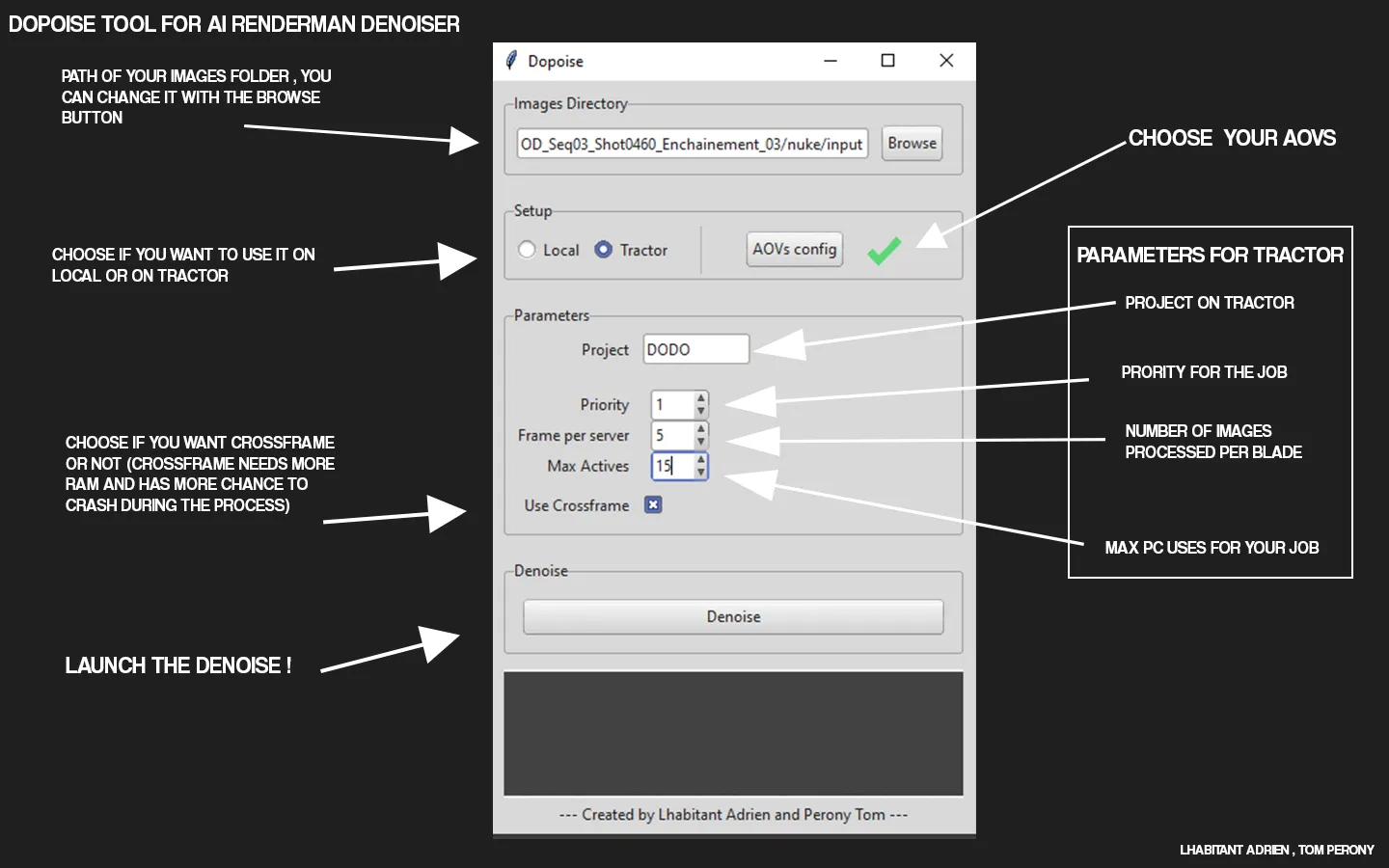
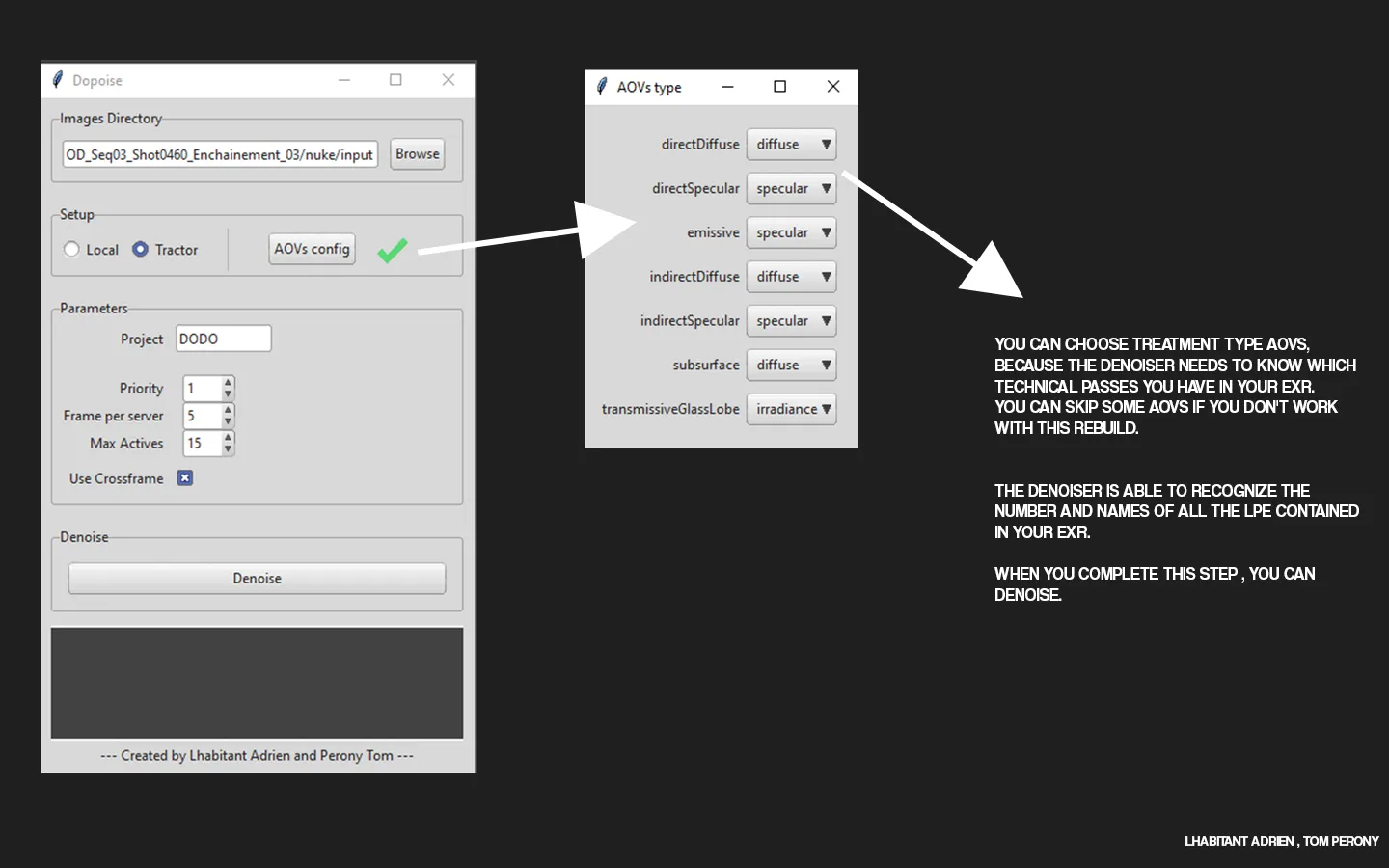
Exemple :
TECHNICAL LIMITATIONS / TRACTOR
When the AOV part is done, the user can choose to denoise locally or on the render farm using Tractor, where the job parameters can be adjusted.
The user can also choose whether to use cross-frame denoising.
The script takes over from here, it sorts the exrs in different folders based on their type : beauty, utilities and cryptomates. It then proceeds to generate either TCL (tractor) or Batch (local) code containing all the denoising and merging instructions.
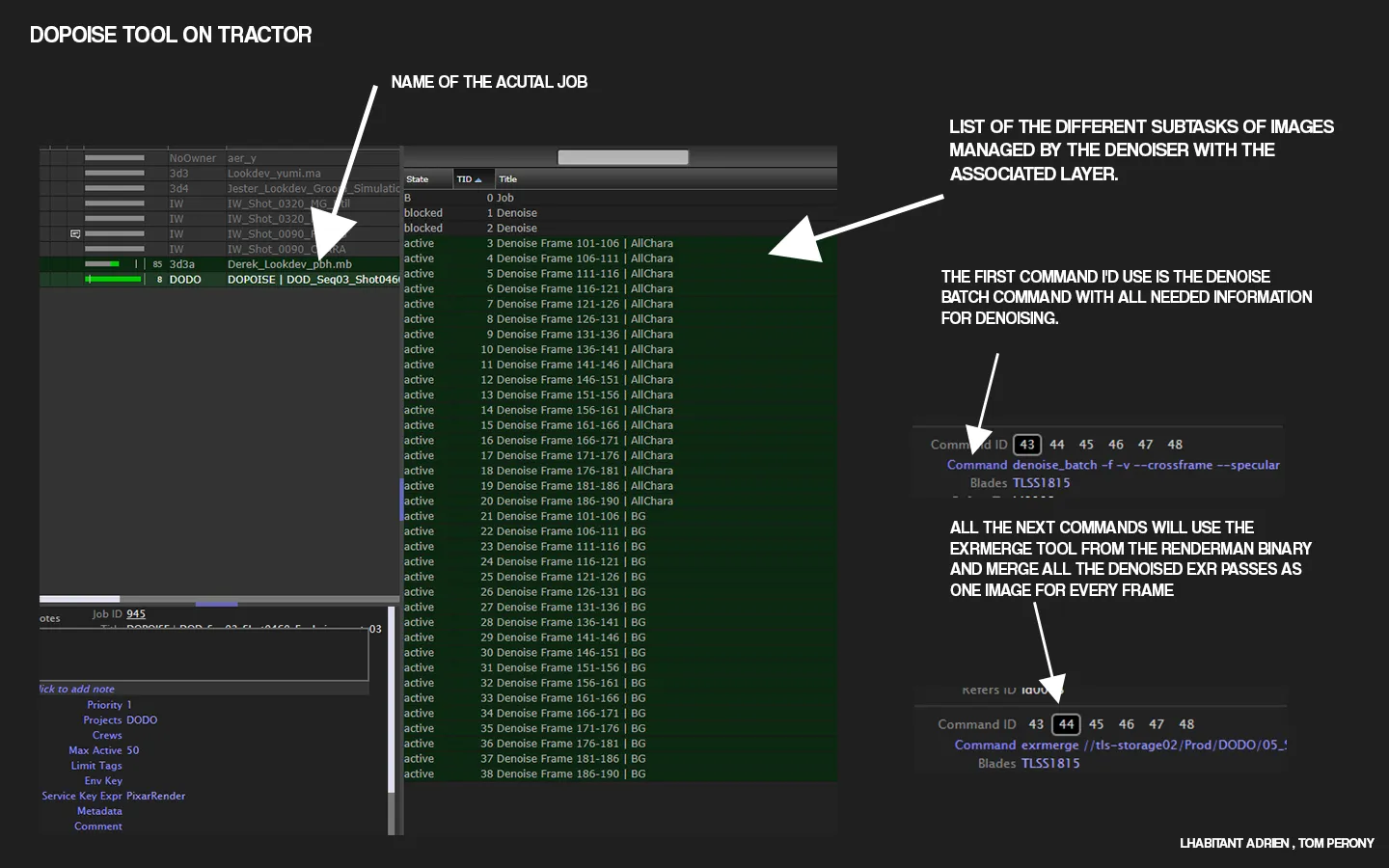
The major issue comes from the denoiser itself: it can generate a “PyRunSimpleString failed” error, potentially related to saturated RAM. Cross-frame denoising is more RAM intensive. This is especially disruptive locally because the process must be restarted from the beginning. On Tractor, we recommend setting one frame per server and using the max-active-task parameter in the UI to limit the impact on the render farm. If a frame fails, it can then be restarted without losing previous progress.
TJM (Tractor Job Management)
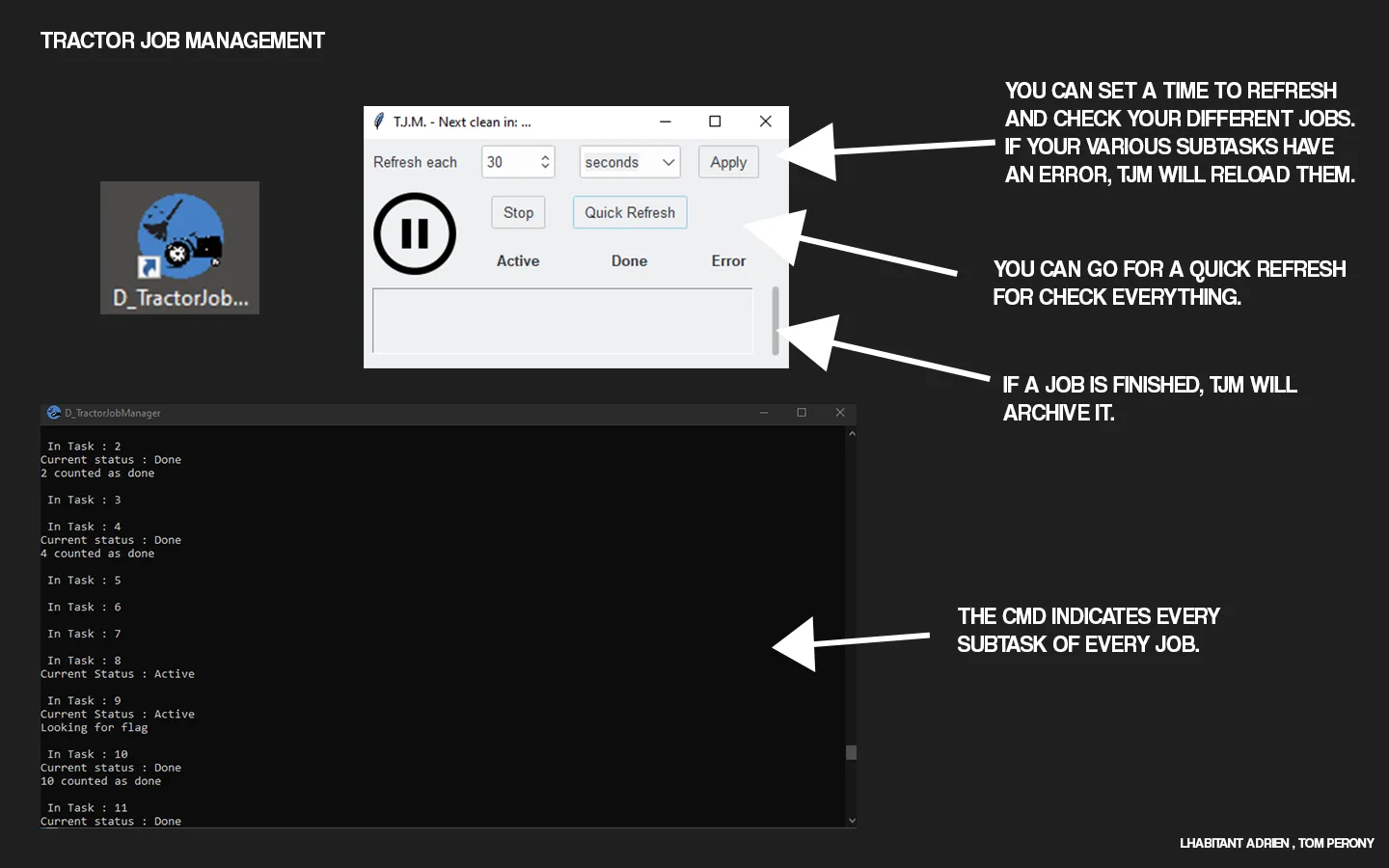
TJM (Tractor Job Management)
Despite reducing the problem of denoiser failure by isolating it on Tractor, we still needed to ensure that all images were available the next day. Hence, we developed a script called TJM (Tractor Job Management), which ensures to retry each task that failed by performing retries on each task in “error” status. TJM uses the Tractor API in Python 2.7, retrieving information from various JIDs (Job IDs), i.e., the different jobs present on the farm, and examining each TID (Task ID) to determine whether it needs to be restarted using the status of the TID.
The only issue lies in our Tractor procedure; each of the subtasks has multiple command IDs, the first handling denoising, followed by merging. If one of them fails, we are forced to retry the subtask from the beginning, even if the work has already been done. However, we can generate one image per blade, thus mitigating the problem. Additionally, we have the option to limit the number of PCs taken by the job to avoid flooding the entire render farm and prevent the aforementioned issue. Overall, this had minimal impact on our operation as errors are infrequent.
NUKE PROBLEMATIC
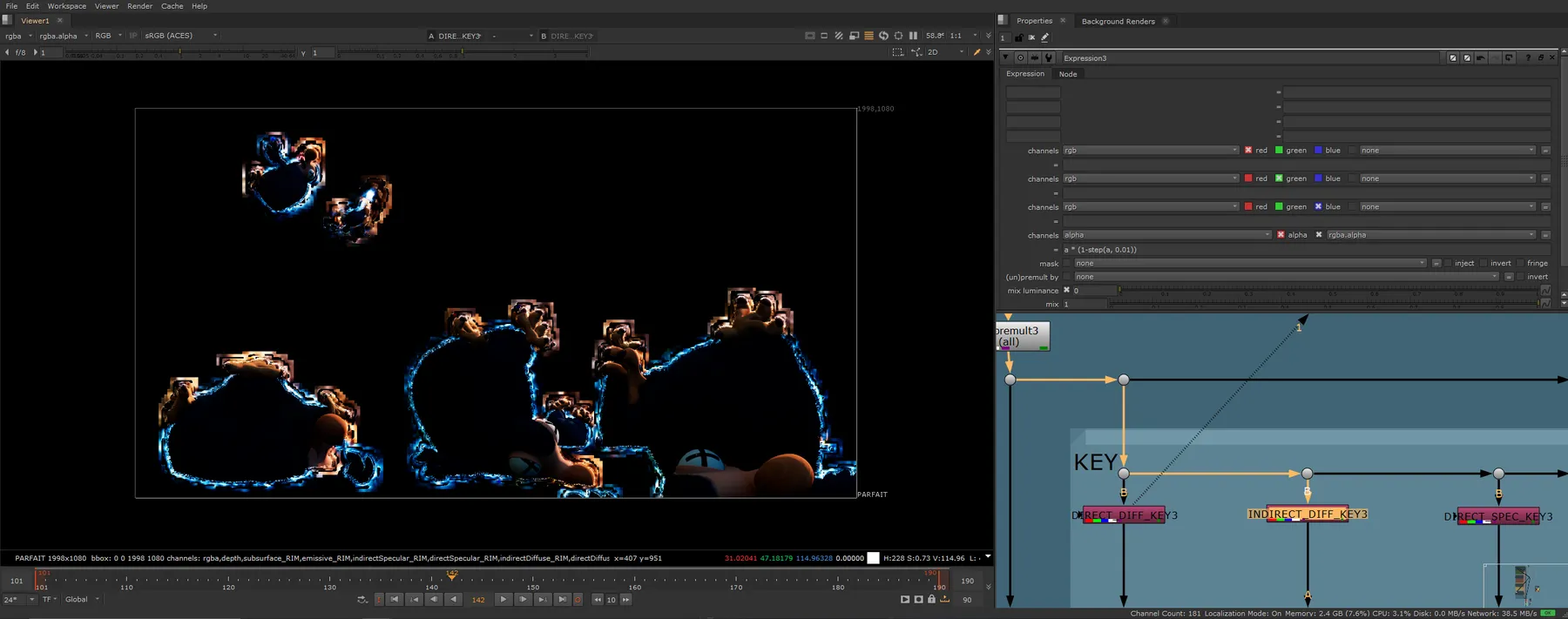
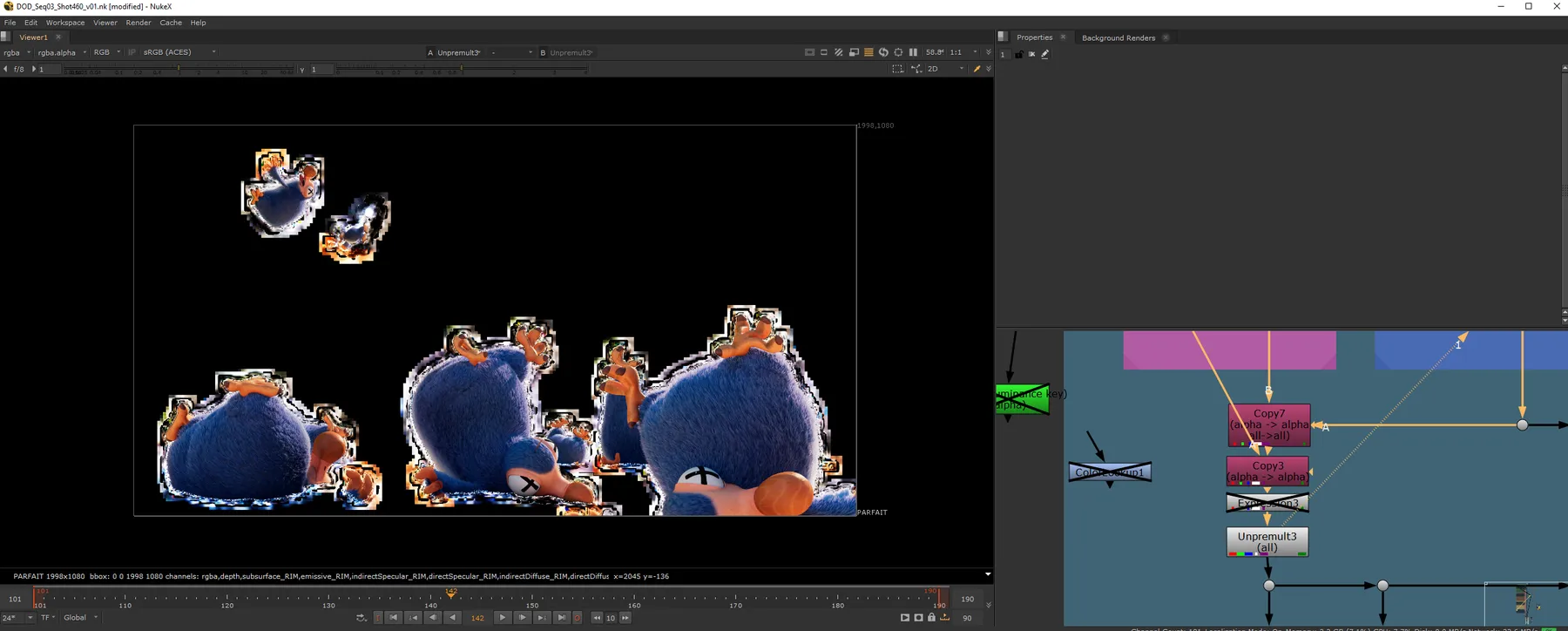
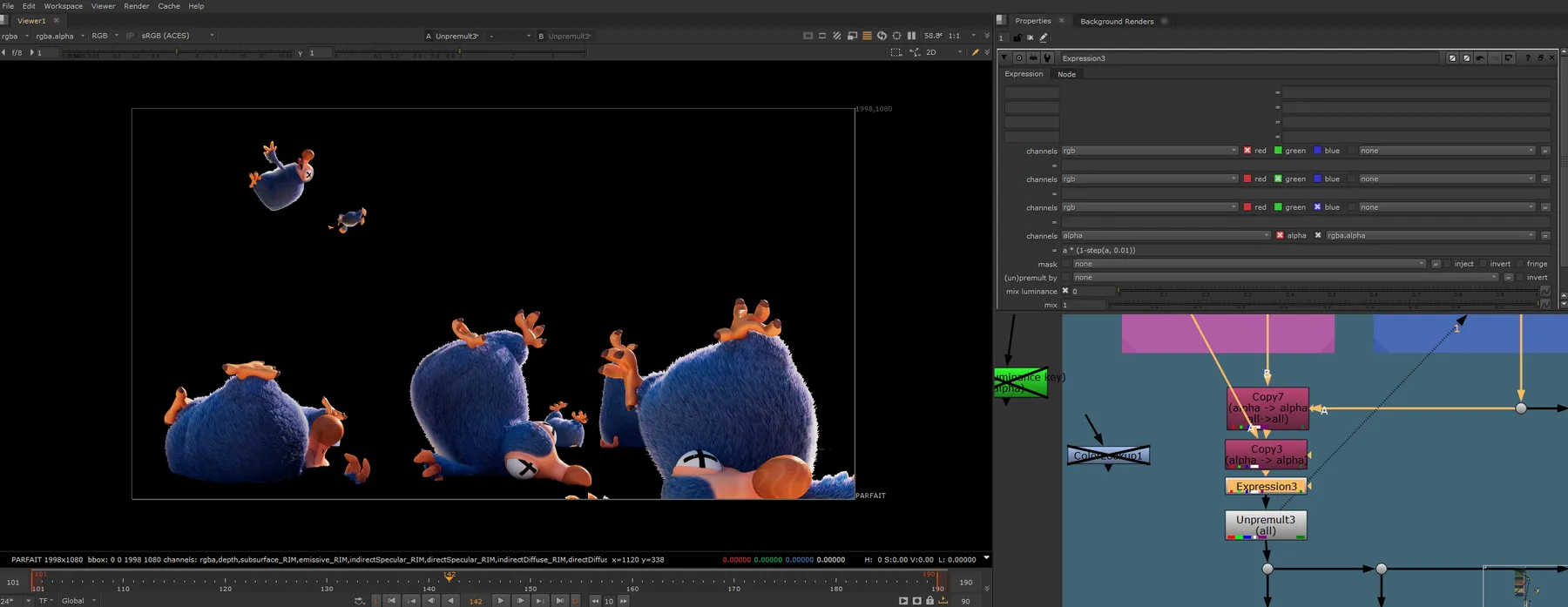
After denoising our images, we observed impressive results from the denoiser. Since the majority of our images were rendered at 64 samples, we saved a significant amount of rendering time, making the rendering-to-denoising time ratio much more viable than with higher sampling rates. However, we encountered a new issue during compositing; upon examining our technical passes after unpremultiplying, we noticed that the denoiser left extremely low values in the alpha channel (around 10e-7), resulting in visual artifacts.
We use an expression to to get rid of these values, and haven’t noticed an further problem.
In the alpha section of the expression node : a * (1-step(a, 0.01)) you can adjust the 0.01 threshold to your liking.
/nuke/process
From technical pass to final image
Four steps show how the alpha issue is identified, corrected, and removed from the final result.

INFORMATION
If you have any questions about the topic, I’d be happy to answer them. Feel free to reach out by email at:[email protected]